You have not yet added any article to your bookmarks!
Join 10k+ people to get notified about new posts, news and tips.
Do not worry we don't spam!
Post by : Anis Farhan
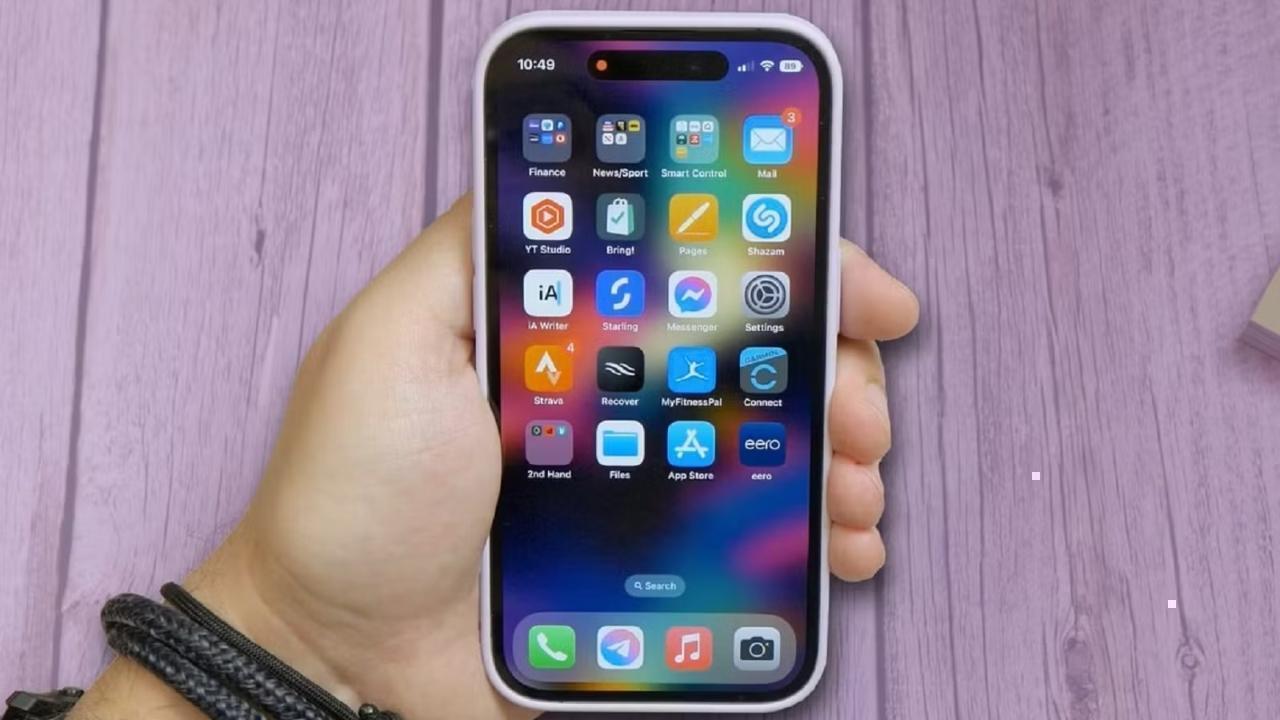
It often feels suspicious, leading many people to wonder whether phone manufacturers intentionally slow devices down to push users toward upgrades. While this belief has circulated widely, the reality is more complex.
In most cases, your phone isn’t suddenly becoming slow; instead, multiple factors gradually build up over time until performance changes become noticeable.
Understanding why phones slow down near upgrade time requires looking at hardware aging, software evolution, app demands, and user behavior.
Smartphones contain processors designed to handle computing tasks efficiently at the time of release. However, processors do not become faster as time passes. Instead, newer apps and operating systems demand more power.
Two years after purchase, the same processor is now expected to handle heavier applications and more background tasks, making it appear slower even though its performance hasn’t changed.
Phone storage, usually based on flash memory, degrades slowly with heavy usage. Writing and rewriting data repeatedly reduces performance over time.
As storage ages, reading and writing speeds can decrease slightly, leading to slower app launches and longer loading times.
Operating system updates introduce new features, improved graphics, better security, and more complex processing needs. These updates are often optimized for newer hardware models.
Older phones receive the same updates but lack hardware improvements necessary to run them smoothly. As a result, performance can feel slower after major updates.
Modern software constantly performs background tasks such as syncing data, updating apps, tracking location services, and managing notifications.
As updates add new capabilities, these background processes increase, consuming memory and processing power.
App developers design new versions for modern phones with stronger processors and larger memory capacities. Over time, apps become heavier, with more animations, features, and background functions.
Older phones struggle to handle these demands efficiently.
Apps accumulate cached data over time to improve loading speeds. However, excessive cached data can eventually slow performance, especially when storage becomes limited.
Smartphones rely on free storage space to run smoothly. When storage becomes nearly full, phones struggle to manage temporary files required for app operation.
Photos, videos, downloads, and app data gradually fill storage, reducing performance.
Limited storage makes it harder for the operating system to allocate resources efficiently, causing slower app switching and delayed responses.
Lithium-ion batteries degrade over time. As batteries age, their ability to deliver peak power declines.
When phones detect weak battery performance, they sometimes reduce processor speed to prevent sudden shutdowns. This power management can make devices feel slower.
A degraded battery may cause unexpected lag, heating issues, and inconsistent performance, especially during demanding tasks.
Users install more apps over time, many of which continue running background services.
Multiple active apps compete for memory and processing power, reducing performance.
Apps constantly syncing emails, social media, cloud backups, and location services add to background processing demands.
As networks evolve, apps assume faster internet speeds. Older devices may struggle to process data quickly, creating the perception of slowness even when network conditions are fine.
When users see or use newer phones owned by friends or showcased in advertisements, comparisons begin. New devices appear faster due to improved hardware and smoother animations.
This contrast makes older phones feel slower even if performance hasn’t drastically changed.
Marketing campaigns highlight faster speeds, better cameras, and improved performance, subtly influencing perception of current devices.
Users become more aware of delays they previously ignored.
There have been controversies where manufacturers admitted to slowing processors to protect aging batteries from shutdowns. However, this was more about device stability than forcing upgrades.
Today, many companies provide battery health tools and allow users to manage performance settings.
Slowdowns typically result from combined technical and usage factors rather than deliberate design.
Deleting unused apps, photos, and files improves phone responsiveness.
Battery replacement often restores performance dramatically, extending device life.
Sometimes factory resets remove accumulated clutter and improve performance.
Managing app permissions and background processes reduces resource consumption.
If performance issues persist even after maintenance, hardware limitations may justify upgrading. Phones generally function well for three to five years depending on usage.
Phones rarely become slow overnight. Performance changes result from hardware aging, heavier software demands, battery wear, and storage overload accumulating over time.
Understanding these factors helps users maintain devices longer and make informed upgrade decisions.
The next time your phone feels slower just as you consider upgrading, remember: it’s not necessarily sabotage — it’s technology aging in a rapidly advancing digital world.









PM Modi Pays Tribute to Mahatma Gandhi, Urges People to Support Khadi
PM Modi pays tribute to Mahatma Gandhi on Gandhi Jayanti and urges citizens to support Khadi and the

Amazon Seeks to Offload $8 Billion in Nvidia Chips to Investors
Amazon plans to move $8 billion in Nvidia chips to investors, using a new financing model to strengt
Samsung Raises Galaxy S26 Prices as Memory Chip Costs Rise
Samsung raises Galaxy S26 prices in South Korea as rising memory chip costs put pressure on smartpho

Lewis Hamilton Calls Singapore Grand Prix One of F1's Toughest Races
Lewis Hamilton discusses the demanding Singapore Grand Prix and brings Plus44 and Almave to Singapor

Denmark's Pandora Opens World's Largest Jewellery Factory in Vietnam
Pandora opens its largest jewellery factory in Vietnam, expanding global production, strengthening s

Gautam Gambhir Questions Batting-Friendly Pitches After India's Record ODI Chase
Gautam Gambhir questions batting-friendly ODI pitches after India’s record chase, calling for a bett